Picuki Post Viewer
Browse the grid of a public Instagram account as a signed-out visitor. Picuki prints every post with its whole caption, the date, and the like and comment totals. Search a @username, choose the Posts tab, and scroll as far as you want.
Works logged outFree to usePhone, tablet, desktop
Browsing posts with Picuki
Grab the handle
Note the account's @username, or copy the profile address from your browser bar.
Run the search
Type or paste it into the field above and press Search. The profile card and its tabs appear.
Tap Posts
The grid starts with the most recent uploads. Pinned posts are marked as pinned.
Open a tile
Read the caption, flip through carousel slides, and press Download on any slide worth keeping.
Instagram posts, minus the sign-in pop-up
Instagram's website gives signed-out visitors a short preview of a grid and then covers it with a login form. The Picuki post viewer requests the same public posts and shows them in a plain grid of its own. Nothing covers the page, and older posts arrive in batches when you ask for them.
Tapping a tile opens the post in a larger panel. Captions are printed in full with hashtags and line breaks intact. A carousel keeps all of its slides, and you move through them with arrows. Video posts play in the panel with sound.
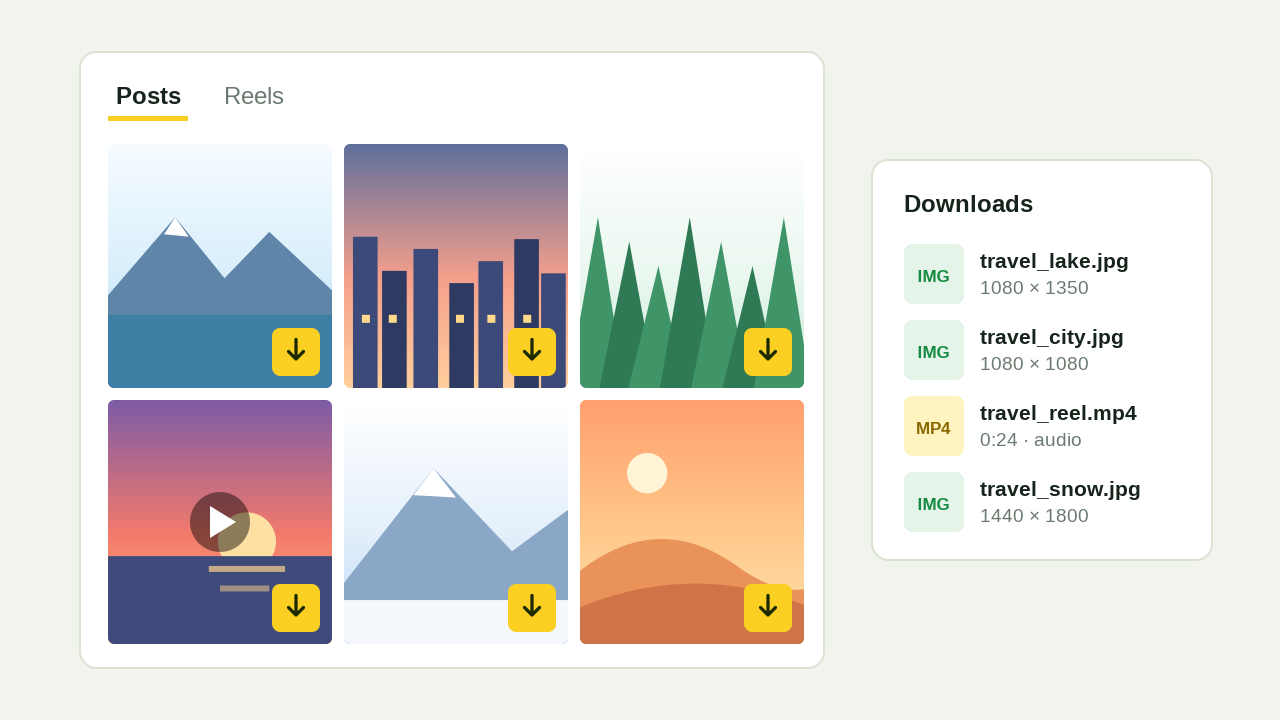
What the post viewer shows you
- Whole captions. No "more" link, no truncation after the first line.
- Carousels slide by slide. Every picture and clip of a multi-part post, each downloadable on its own.
- Like and comment totals. Printed under each post, or marked hidden when the owner hides likes.
- Posting dates. Useful for checking when a product, event or announcement went up.
- Clean downloads. JPG for images and MP4 for video, at the size Instagram sends.
- A link back. Each post has a button that opens the original on Instagram.
Questions and answers
What is the Picuki post viewer?
A tab on picuki.website that displays the public posts of an Instagram account, with captions and counts, to visitors who are not signed in.
Can I browse Instagram posts with no account at all?
Yes, provided the profile is a public one. Search the handle and open the Posts tab. You are never asked to register.
Does Picuki show who liked a post?
No. It shows the like total when the owner allows it. The list of likers is not offered.
How do carousel posts work here?
Open the post and use the arrows. Every slide appears in order, and every slide can be saved separately.
Is the uploader told that I looked at a post?
No. Instagram sends no alert for post views, and Picuki's request has no account behind it anyway.
What format are saved posts in?
Images are JPG. Videos are MP4 with the original sound. No watermark is added by Picuki.
Can I open one post from its link?
The search box works with usernames and profile addresses. Load the account, then find the post in its grid.
Why does the grid stop loading?
You reached the oldest post, or Instagram is limiting requests for a short while. Press Retry after a pause.
Every Picuki tool on one list
Story Viewer
Watch what a public account added to its story today, with no sign-in and no name left behind.
Highlights Viewer
Open the story collections pinned under a bio and see the day each frame went up.
Profile Viewer
One search returns the bio, the full-size avatar and four tabs of public content.
Reels Viewer
Play an account's public reels with sound, check the play counts, keep any of them as MP4.
Story Downloader
Put story photos on your device as JPG and story videos as MP4 with their audio.
Profile Picture
See an Instagram avatar larger than the tiny circle and store the JPG.
TikTok Downloader
Picuki TikTok downloader saves TikTok videos without watermark as MP4, plus MP3 audio, covers and slideshow photos. Paste a link. No login needed.
Try Picuki with any public username
Scroll back to the search box, type the handle and press Search. The account's public stories, highlights, posts and reels show up on this page, and you stay signed out the whole time.